
No heavy software
Open the converter in a browser instead of installing Acrobat.
Use this page when you specifically want a Liquid Mode-style result without opening Acrobat. PDF2Mobile is independent from Adobe and focuses on the same reading outcome: a responsive version of your PDF that is easier on small screens.
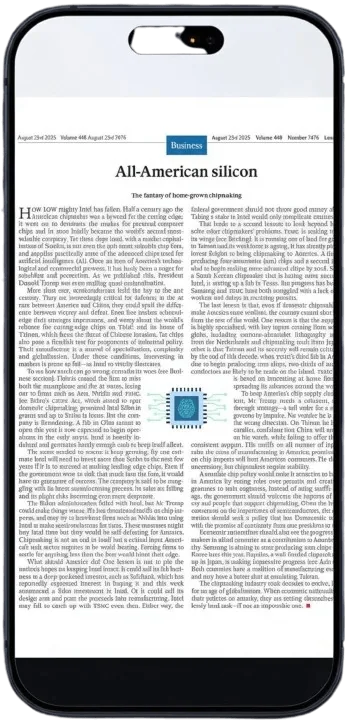
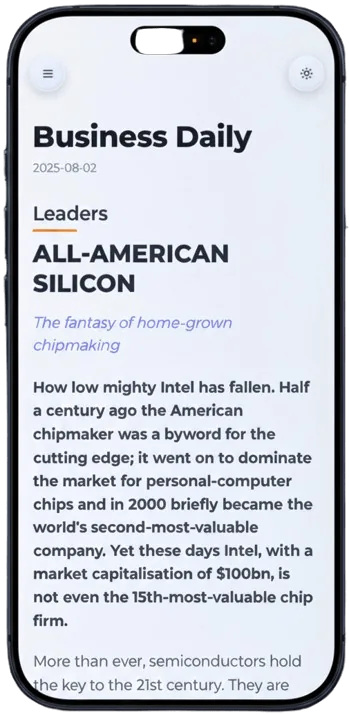
Open the converter in a browser instead of installing Acrobat.
Documents become readable views that adapt to the screen.
Converted files stay available for later reading.
Add the document you want to read more comfortably.
PDF2Mobile creates a responsive reading version.
Read the result on phone, tablet, or desktop browser.
The goal is simple: make a PDF easier to read on a small screen. PDF2Mobile focuses on the same user need as Liquid Mode by rebuilding the document as responsive, scrollable content.
Use it when you want a quick web workflow, need a library of converted documents, or read on devices where a full desktop PDF app is inconvenient.
No. It is an independent online alternative focused on the same outcome: making PDFs readable on small screens.
No. You only need a browser and the PDF you want to convert.
Use an Adobe Liquid Mode alternative online to reflow PDFs into readable mobile views. No Acrobat install, no Creative Cloud required.
Reflow PDF pages online into readable, phone-width text. Convert fixed PDFs into mobile-friendly articles with headings, lists, OCR, and no horizontal scrolling.
Convert a PDF to a mobile-friendly reading view online. Reflow fixed pages into readable phone-width text with OCR, headings, and clean vertical scrolling.