
Screen Adaptation
Content automatically adjusts to fit any Android screen size or aspect ratio.
Reading PDFs on Android should not require pinch zoom on every page. PDF2Mobile transforms documents into fluid, readable text that adapts to your screen size. Perfect for Samsung, Pixel, OnePlus, and other Android devices.
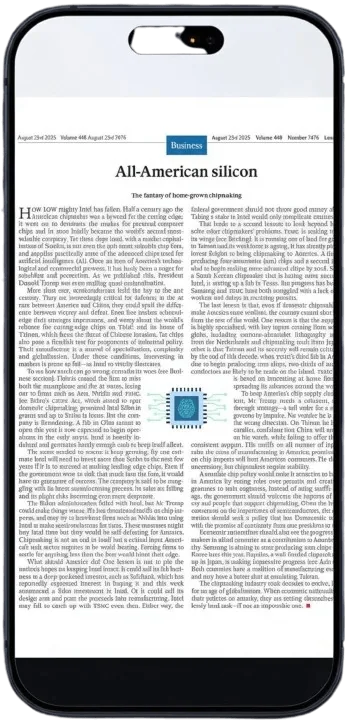
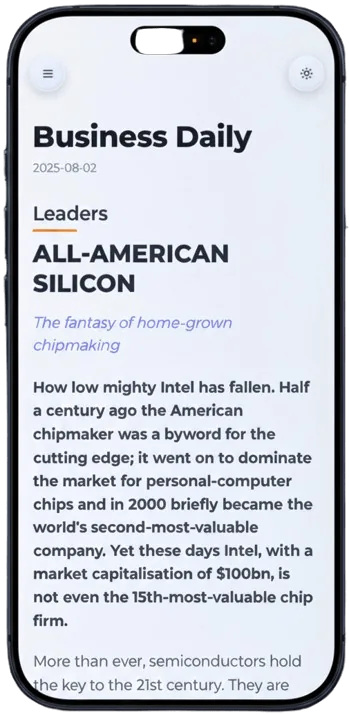
Content automatically adjusts to fit any Android screen size or aspect ratio.
Optimized for OLED screens with true black dark mode support.
Works perfectly in Chrome, Firefox, or Samsung Internet browser.
Choose a PDF from your Android file manager.
Our AI extracts text and images for mobile viewing.
Read comfortably without horizontal scrolling.
The converter reflows PDF content into a vertical reading layout, so you can read in Chrome or Samsung Internet like a normal article. It is useful when a PDF viewer shows tiny text, wide margins, or multi-column pages.
Upload the PDF once and get a mobile view you can open again from your library. The result is designed for reading, not just extracting raw text.
We think so! No account required, no heavy app to install, and instant results.
Yes, you can save the converted article to read later.
Convert PDF to a mobile view for easier phone reading. Reflow fixed pages into clean, scrollable text for iPhone, Android, tablet, and desktop.
Reflow PDF pages online into readable, phone-width text. Convert fixed PDFs into mobile-friendly articles with headings, lists, OCR, and no horizontal scrolling.
Use a mobile PDF reader online to read PDFs without zooming. Convert fixed pages into reflowed text with night mode and a simple document library.