
Native Reading Experience
Text reflows to fit your iPhone screen, just like a web article or Apple News
Stop struggling with tiny PDF text on your iPhone. PDF2Mobile converts fixed PDF pages into a responsive, mobile-friendly reading view that feels like a native article in Safari. No app installation required.
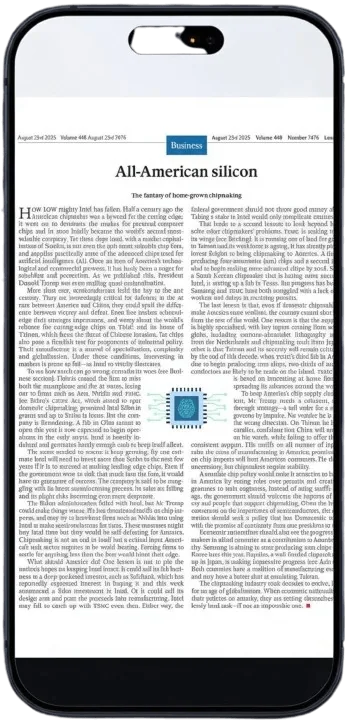
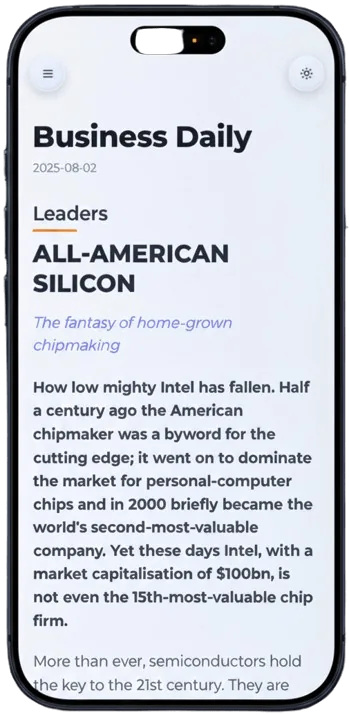
Text reflows to fit your iPhone screen, just like a web article or Apple News
Make text larger or smaller to suit your eyes without breaking the layout.
Automatically switches to dark mode for comfortable night reading on your iPhone.
Select the PDF file from your iPhone's Files app or iCloud.
We instantly process and reflow the content for mobile screens.
Enjoy your document in a clean, scrollable format.
Most PDFs are designed for desktop pages, so iPhone readers end up pinching, zooming, and scrolling sideways. This converter rebuilds the reading flow for a narrow screen while keeping headings, paragraphs, lists, and useful images in order.
Use it for manuals, reports, ebooks, class notes, contracts, whitepapers, and any PDF where the text is too small on iPhone. The output is easier to scan, share, and return to from your library.
No, this works entirely in your Safari browser. No App Store downloads needed.
Yes, it works on any iPhone with a modern web browser.
Convert PDF to a mobile view for easier phone reading. Reflow fixed pages into clean, scrollable text for iPhone, Android, tablet, and desktop.
Reflow PDF pages online into readable, phone-width text. Convert fixed PDFs into mobile-friendly articles with headings, lists, OCR, and no horizontal scrolling.
Use an Adobe Liquid Mode alternative online to reflow PDFs into readable mobile views. No Acrobat install, no Creative Cloud required.