
Kindle Friendly
Creates clean text you can easily send to Kindle.
Reading PDFs on Kindle is usually painful because fixed pages do not fit e-ink screens. PDF2Mobile converts PDFs into clean, reflowable text that works better on Kindle devices and Kindle apps.
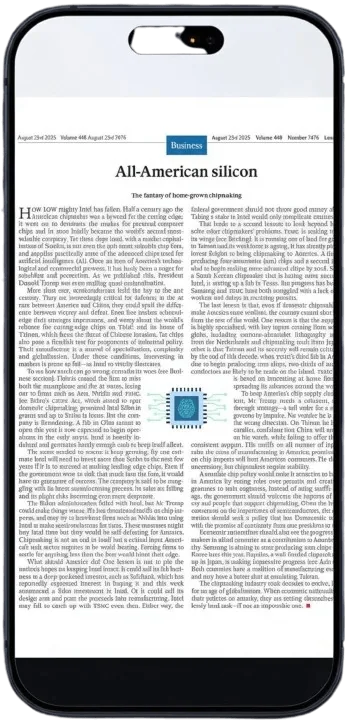
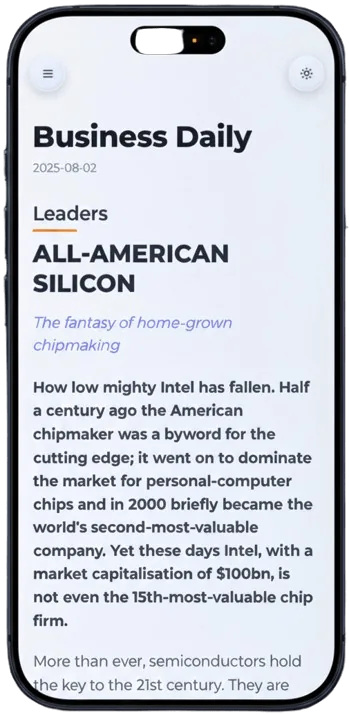
Creates clean text you can easily send to Kindle.
Text is optimized for reading on black and white e-ink screens.
We try to detect chapters to build a proper table of contents.
Select the book or document you want to send to Kindle.
We convert it to a reflowable format optimized for E-ink screens.
Copy the text or use Send-to-Kindle to read on your device.
Kindle screens are great for books but poor for fixed PDF pages. This converter extracts the reading flow and creates a cleaner text layout you can read with less zooming and panning.
Instead of sending a desktop PDF directly to Kindle, convert it first into a mobile-friendly article. The result is easier to scan and copy, and can be saved in your PDF2Mobile library.
We create clean, reflowable text and markdown that you can copy or send to Kindle.
Images are included but work best on Kindle apps with color screens.
Prepare PDFs for Kindle-style reading by converting fixed pages into a reflowed article view that is easier to read on small screens and tablets.
Reflow PDF pages online into readable, phone-width text. Convert fixed PDFs into mobile-friendly articles with headings, lists, OCR, and no horizontal scrolling.
Convert PDF to a mobile view for easier phone reading. Reflow fixed pages into clean, scrollable text for iPhone, Android, tablet, and desktop.