
Core workflow
Mobile-friendly
Turn hard-to-read PDF pages into a phone-width reading layout.
Turn a fixed PDF page into a mobile-friendly article that is easy to read on a phone. PDF2Mobile rebuilds the reading order, removes the need for pinch zoom, and keeps the useful structure of the document.
Core workflow
Mobile-friendly
Turn hard-to-read PDF pages into a phone-width reading layout.
Primary job
Readable phone view
The page should match users who want a PDF to stop behaving like a print page.
Workflow
Upload once
Convert once and reopen the mobile-friendly result from the document library.
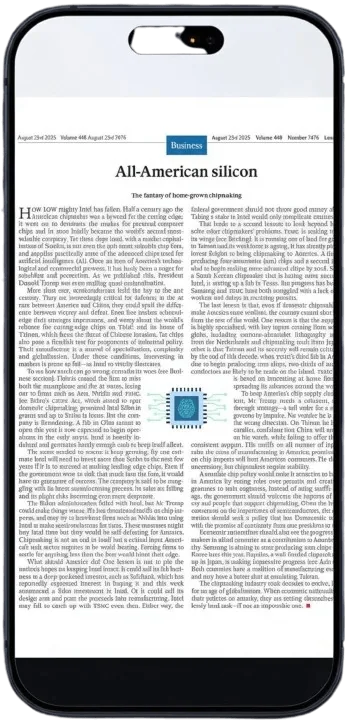
The original PDF keeps its printed page dimensions. On a phone, the whole page is visible but the text is too small and the user must zoom into each section.
Open a work PDF from your phone and convert it before reading the whole document.
Make class notes, packets, and article PDFs easier to read on a commute.
Keep a mobile version of policies, manuals, and onboarding docs in your library.
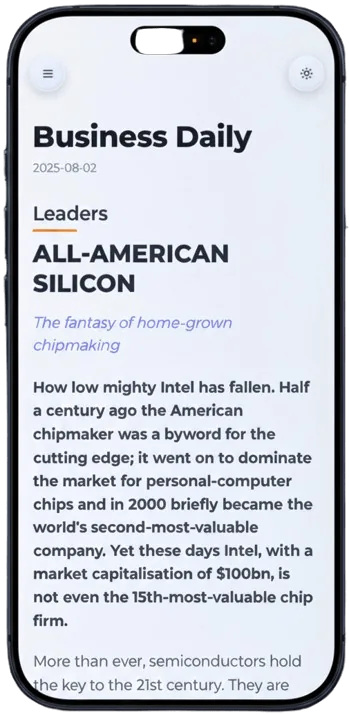
The converted article fits narrow screens so readers can scroll normally.
PDF2Mobile keeps the logical order of headings, paragraphs, lists, and useful images.
Dark mode, library access, and clean typography make long documents easier to finish.
Choose the document you want to read on a phone.
We extract and reflow the content into a responsive article view.
Open the result on iPhone, Android, tablet, or desktop.
A normal PDF keeps a desktop-sized page even when the screen is small. This converter turns the document into a responsive reading view with wrapped text, vertical scrolling, and a cleaner article layout.
Use this for manuals, reports, ebooks, forms with long instructions, class notes, and work documents that are technically openable on a phone but painful to read.
Yes. Compression makes a file smaller. PDF2Mobile changes the reading view so the content fits a phone screen.
No. The original file stays intact. You get a separate mobile-friendly reading version in your library.
Convert PDF to a mobile view for easier phone reading. Reflow fixed pages into clean, scrollable text for iPhone, Android, tablet, and desktop.
Reflow PDF pages online into readable, phone-width text. Convert fixed PDFs into mobile-friendly articles with headings, lists, OCR, and no horizontal scrolling.
Make hard-to-read PDFs readable on your phone. Convert fixed pages into larger, responsive text with a clean mobile reading layout.