
Android screen fit
The article adapts to different Android screen sizes and orientations.
PDF reflow on Android makes a fixed page behave like a readable article. Upload a PDF and get a vertical reading view that fits Android phones without side scrolling or constant zooming.
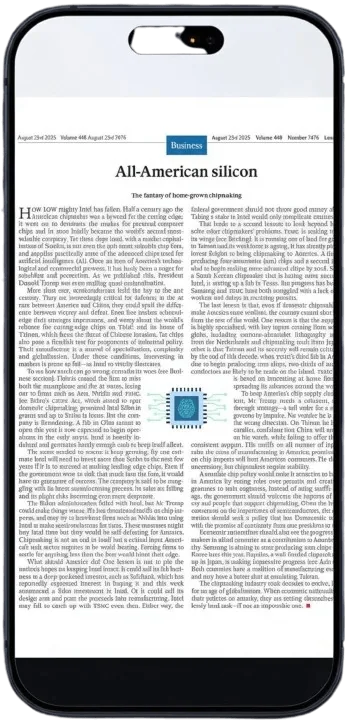
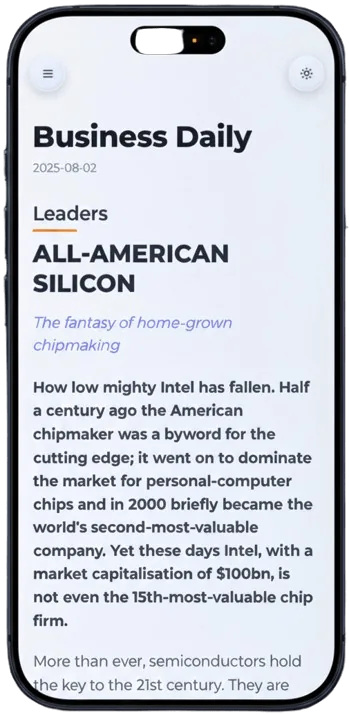
The article adapts to different Android screen sizes and orientations.
Read from top to bottom without dragging the page left and right.
Converted documents are comfortable to read at night on OLED screens.
Pick a document from Android files, Drive, or downloads.
PDF2Mobile rebuilds the reading order for a phone-width layout.
Open the clean article view on your Android device.
Many PDF viewers on Android show the original page as a tiny image. PDF2Mobile extracts the content and reflows it for Chrome, Samsung Internet, Firefox, and other modern mobile browsers.
Pinch zoom works for one paragraph at a time. Reflow rebuilds the full reading path, so the whole document can be read with simple vertical scrolling.
Yes. The converted reading view is a web page, so it works in Samsung Internet, Chrome, Firefox, and similar browsers.
Yes. Long reports, manuals, and ebooks are good use cases because reflow reduces repeated zooming.
Read PDFs on Android without constant zooming. Convert fixed PDF pages into mobile-friendly text that fits Chrome, Samsung Internet, Pixel, and Galaxy screens.
Reflow PDF pages online into readable, phone-width text. Convert fixed PDFs into mobile-friendly articles with headings, lists, OCR, and no horizontal scrolling.
Read PDFs without zooming by converting tiny fixed pages into a responsive article view. Built for phone reading, vertical scrolling, and cleaner text.