
Safari-ready
Read converted PDFs directly in the iPhone browser.
Make PDFs readable on iPhone by converting fixed pages into a responsive article view. PDF2Mobile works in Safari and creates a clean reading layout for documents that are too small on mobile.
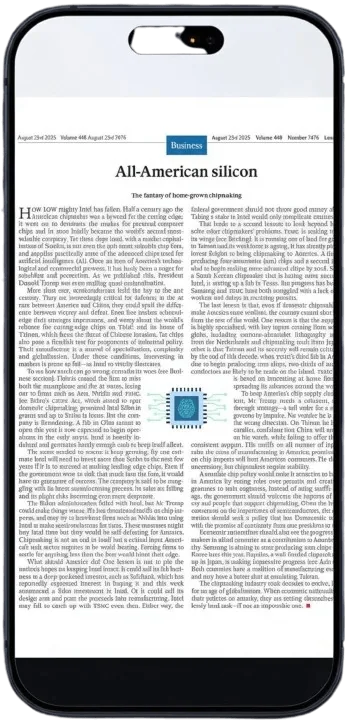
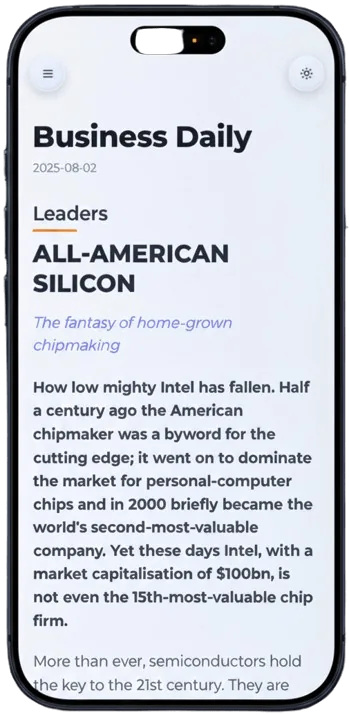
Read converted PDFs directly in the iPhone browser.
Paragraphs wrap to phone width and stay easy to scan.
Return to converted documents without hunting through downloads.
Choose a PDF from Files, iCloud, or your browser.
We convert the fixed page into readable mobile text.
Scroll through a clean article instead of a tiny PDF page.
The iPhone screen is narrow, while most PDFs are made for desktop or print. Reflow converts the page into wrapped text with a continuous reading order, so Safari feels closer to a native article reader.
Instead of zooming into every page, convert once and keep the readable version in your library for later.
No. PDF2Mobile runs in the browser and sends you to your web library.
It is useful when Apple Books or a PDF viewer shows pages too small to read comfortably.
Read PDFs on iPhone without pinching or horizontal scrolling. Convert fixed PDF pages into mobile-friendly articles that fit Safari, iCloud files, and small screens.
Reflow PDF pages online into readable, phone-width text. Convert fixed PDFs into mobile-friendly articles with headings, lists, OCR, and no horizontal scrolling.
Make hard-to-read PDFs readable on your phone. Convert fixed pages into larger, responsive text with a clean mobile reading layout.