
Documents from email
Convert attachments before reading them on a small screen.
This page is for the broad phone-reading problem: the PDF opens, but it is not comfortable to read. Upload the file and PDF2Mobile creates a phone-friendly reading version with larger text, clean sections, and less page friction.
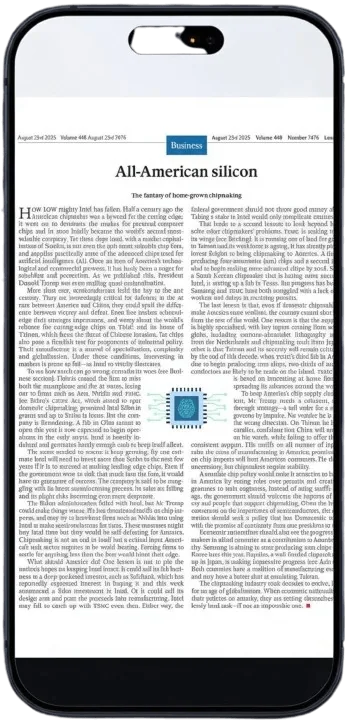
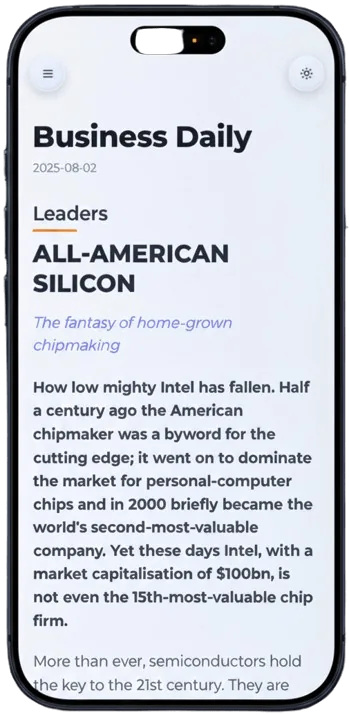
Convert attachments before reading them on a small screen.
Follow instructions without zooming into each printed page.
Read notes and papers in a cleaner mobile flow.
The reading version is designed for phone screens, not print pages.
Scroll normally instead of constantly adjusting zoom.
Keep mobile-friendly versions organized for later.
Upload the document from your phone or computer.
We reflow the content into a cleaner reading layout.
Open the mobile view and scroll through the document comfortably.
Opening a PDF is not the same as reading it comfortably. This tool focuses on readability: larger text, phone-width paragraphs, vertical scroll, and a structure that feels natural on mobile.
Convert work documents, instruction manuals, academic notes, ebooks, receipts with long terms, and other PDFs that were designed for a larger page.
Yes, PDF2Mobile includes OCR for scanned documents when text needs to be recognized first.
Yes. Convert on desktop, then open the result from your library on your phone.
Read PDFs without zooming by converting tiny fixed pages into a responsive article view. Built for phone reading, vertical scrolling, and cleaner text.
Convert a PDF to a mobile-friendly reading view online. Reflow fixed pages into readable phone-width text with OCR, headings, and clean vertical scrolling.
Reflow PDFs for iPhone and read documents in Safari without tiny text, horizontal scrolling, or repeated pinch zoom.