
Ebook-like flow
Read text in a continuous layout instead of a fixed PDF page.
Many PDFs are awkward on Kindle devices and Kindle apps because the page layout stays fixed. PDF2Mobile creates a reflowed reading view that feels closer to an ebook or article.
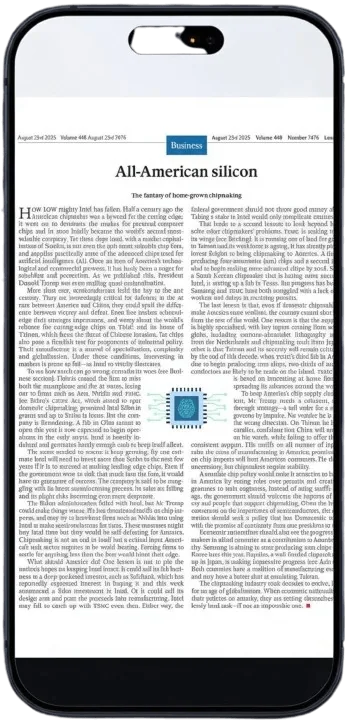
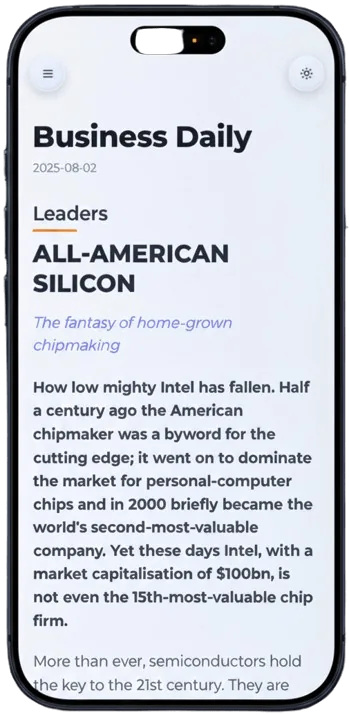
Read text in a continuous layout instead of a fixed PDF page.
The result adapts well to compact reading screens.
Keep converted PDFs available when you want to continue reading.
Choose the document you want to read like an ebook.
We reflow text and preserve the useful reading order.
Use the converted view on Kindle apps, tablets, phones, or desktop.
Kindle-style reading works best when text can resize and flow. This converter extracts the useful content from a PDF and presents it in a flexible reading layout.
PDF2Mobile focuses on creating a readable web/library view from your PDF. It is designed for comfort and access, not for preserving print-perfect page layout.
No. It creates a mobile-friendly reading view from the PDF. The focus is readability, not ebook file conversion.
It can help when the textbook is mostly readable text. Very complex layouts may be simplified for comfort.
Convert PDFs into Kindle-friendly reflowed text for easier reading on e-ink and Kindle apps. Reduce tiny text, preserve chapters, and avoid page zooming.
Reflow PDF pages online into readable, phone-width text. Convert fixed PDFs into mobile-friendly articles with headings, lists, OCR, and no horizontal scrolling.
Use an online mobile PDF reader that converts fixed pages into a readable view before you read. Works in browser with a document library.